 NounDesk
Alerts
Who: all roles can view. Acknowledging and resolving need Owner, Admin or Operator.
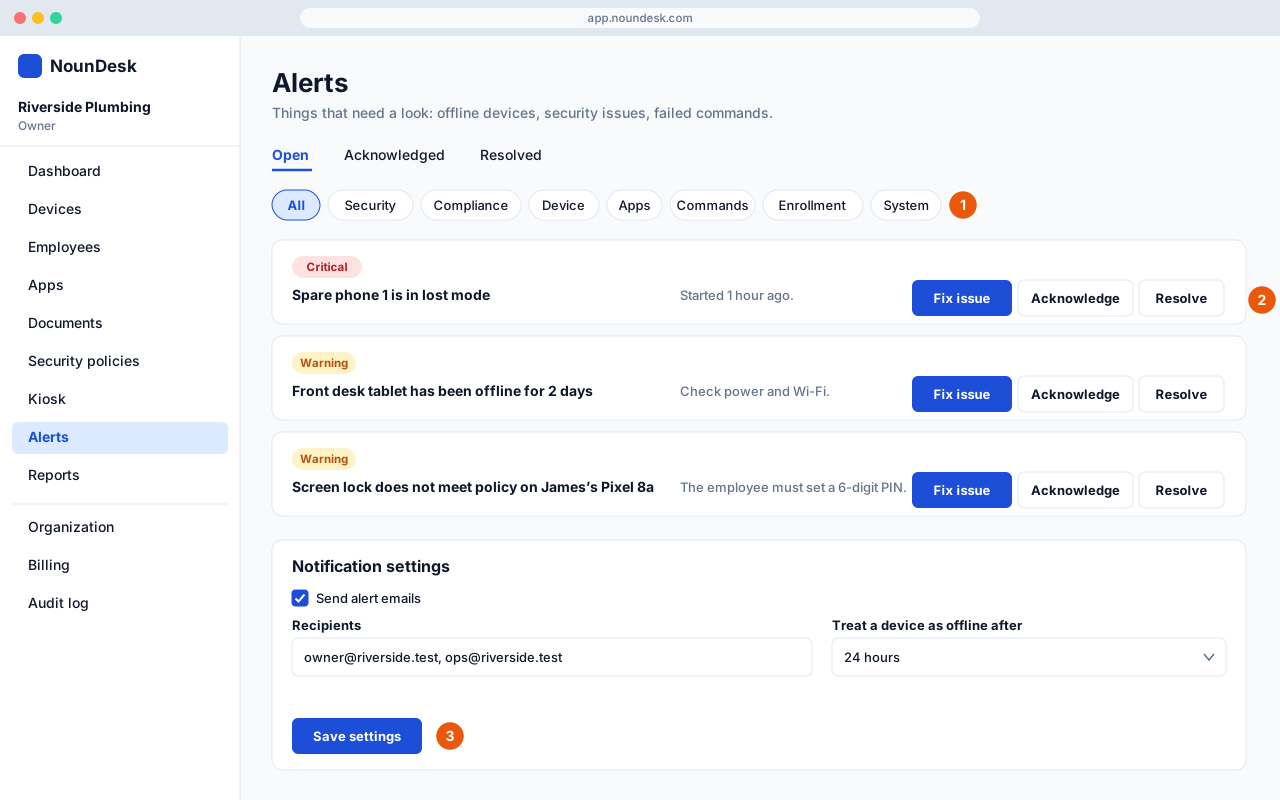
- Go to Alerts. Switch between Open, Acknowledged and Resolved, and filter by category: Security, Compliance, Device, Apps, Commands, Enrollment or System.
- On an alert, Fix issue takes you to the cause. Acknowledge tells your team you’re on it, and Resolve closes it. Alerts also close on their own once the problem goes away.
- Under Notification settings, turn on Send alert emails, list the Recipients, choose when a device counts as offline, and select Save settings.