 NounDesk
Organization settings and admins
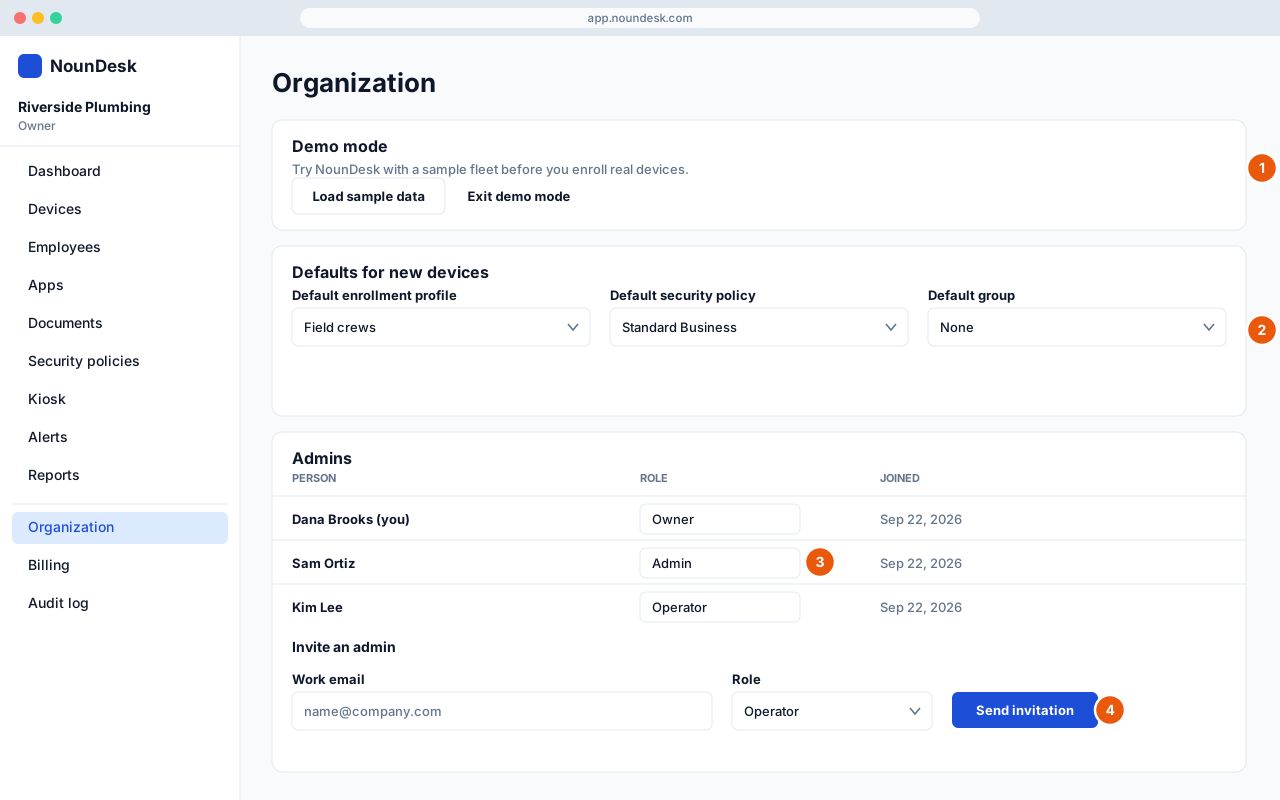
Who: Owner. Some cards are visible to Admins.
- Demo mode: see Try NounDesk with sample data (demo mode).
- Defaults for new devices: choose the Default enrollment profile, Default security policy and Default group new devices get. Select Save defaults.
- Admins: change a person’s Role (Owner, Admin, Operator, Viewer), or remove them.
- Invite an admin: enter their Work email, choose a Role and select Send invitation. Pending invitations can be Resent or Revoked.
Also on this page:
- Google Android Enterprise (connect or reconnect)
- Company details: name, logo, industry, country, time zone and contact email
- Remote support (see Remote support)
- Your Plan