 NounDesk
Upload your own app (private apps)
Who: Owner, Admin. Requires Google connection.
Your company’s own Android app, published privately through managed Google Play. It’s free, takes about 10 minutes, and only your devices can see it.
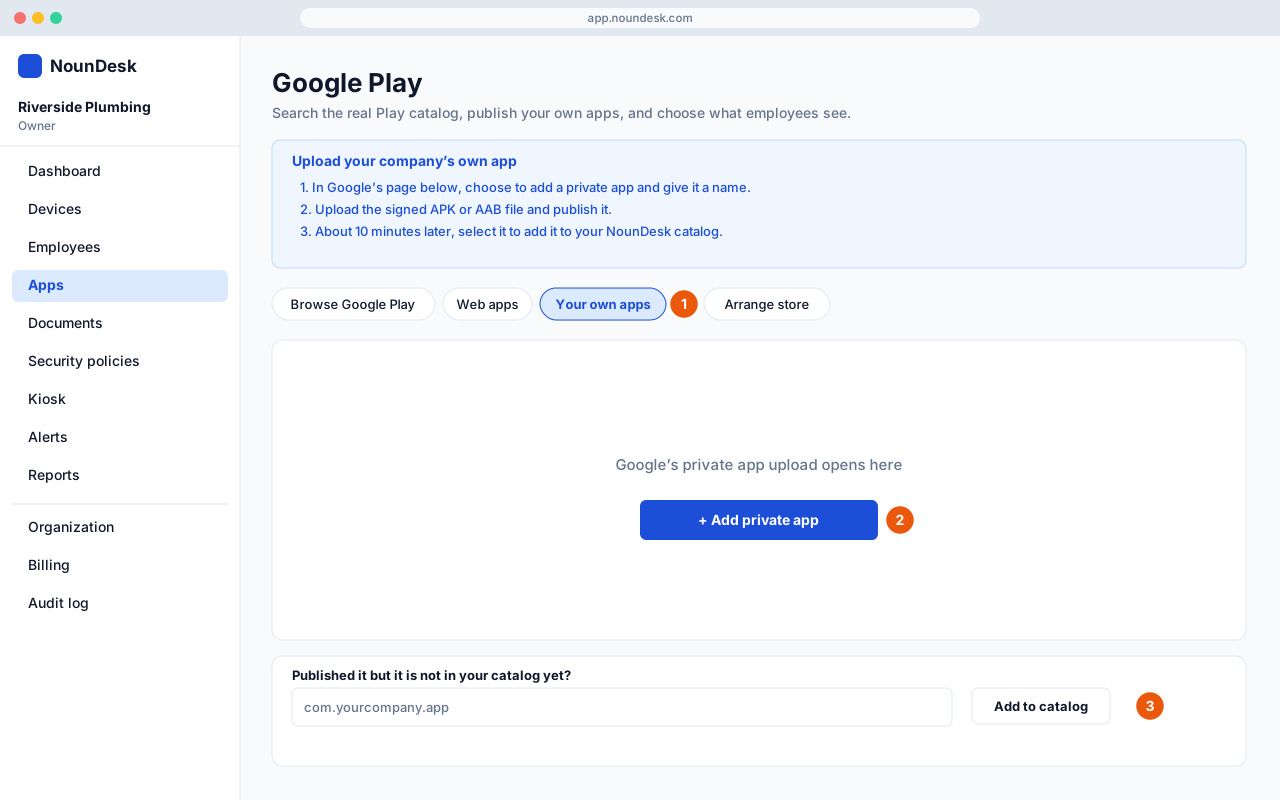
- Go to Apps → Upload your own app. This opens the Your own apps section of Google Play inside NounDesk.
- In Google’s page, choose to add a private app, give it a name, upload the signed APK or AAB and publish it. About 10 minutes later, select it to add it to your NounDesk catalog.
- If it doesn’t appear in your catalog on its own, enter its package name under Published it but it is not in your catalog yet? and select Add to catalog.
Then mark it Required in a security policy. In your app list it carries a Private badge.
- A private app can never be made public later.
- To publish an update, upload a file with a higher version number.
- Devices need Google Play. This isn’t “sideloading”.