 NounDesk
Website filtering
Who: Owner, Admin.
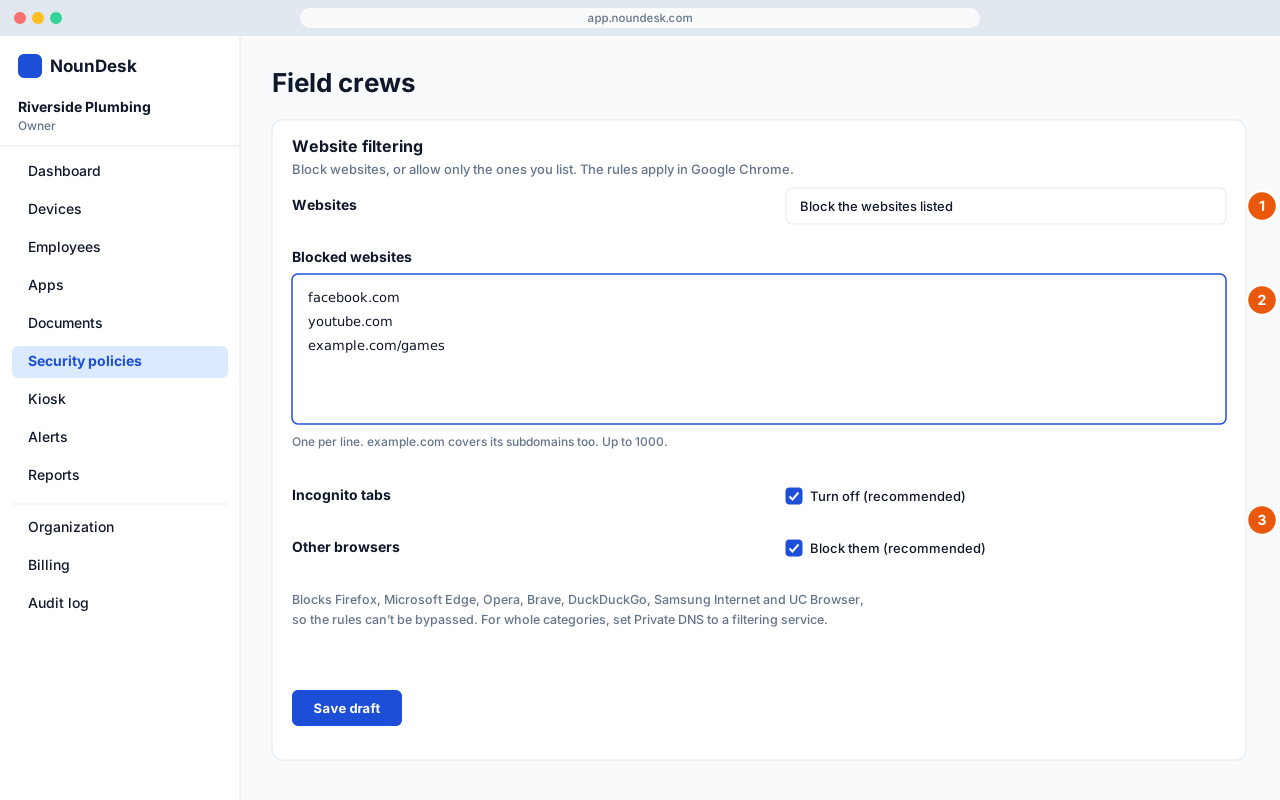
- Open a security policy and find Website filtering. For Websites, choose Block the websites listed or Allow only the websites listed.
- Enter one website per line (up to 1,000).
example.comalso covers its subdomains; add a path such asexample.com/gamesto match only part of a site. - Keep Incognito tabs: Turn off and Other browsers: Block them ticked. Together they stop the rules being bypassed in another browser or a private tab. Then Save draft and Publish….
- The rules apply in Google Chrome and in apps that show web pages. They don’t filter traffic in other apps.
- To block whole categories (adult, gambling) across every app, set Private DNS under Network to a filtering DNS service.