 NounDesk
Company documents
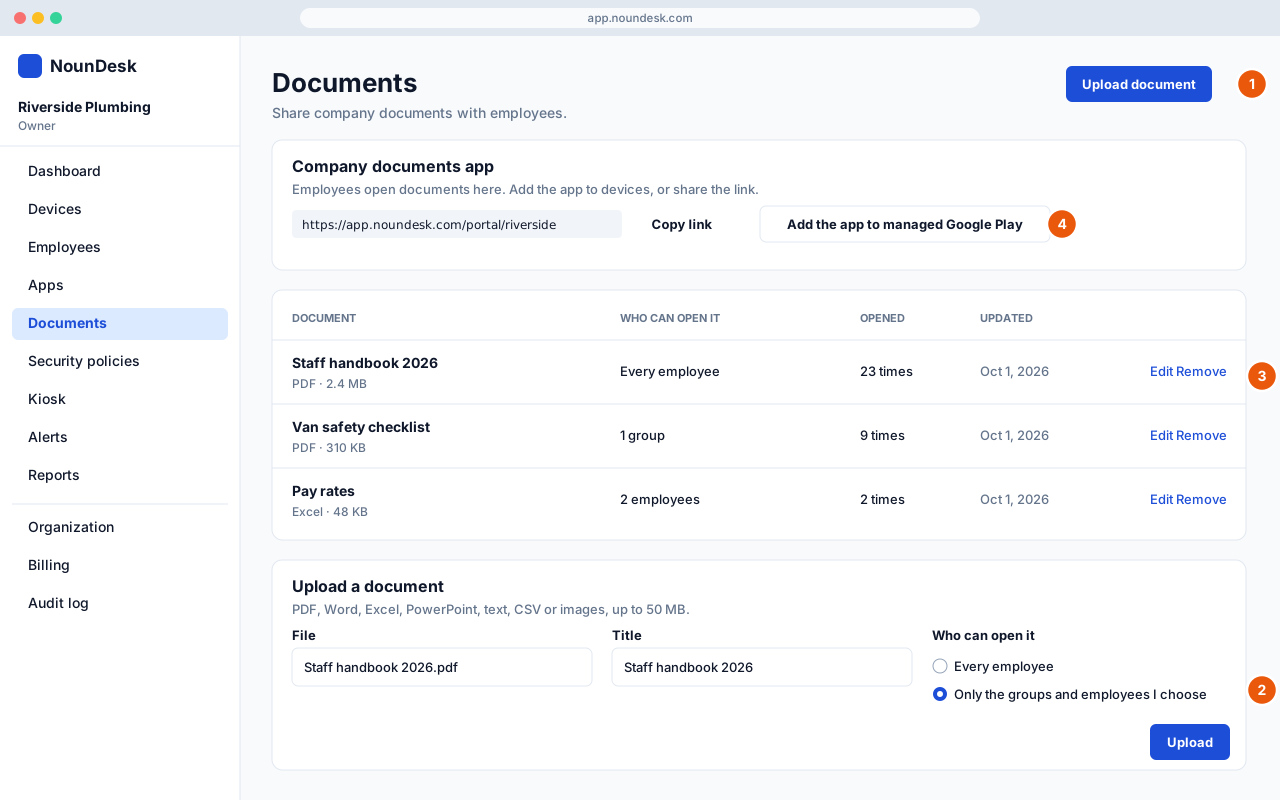
Who: all roles can view the library. Uploading and editing need Owner or Admin.
Share handbooks, safety sheets, price lists and forms with the right people.
- Go to Documents → Upload document.
- Choose the File (PDF, Word, Excel, PowerPoint, text, CSV or images, up to 50 MB), check the Title, and choose Who can open it: Every employee, or Only the groups and employees I choose (tick device groups or named employees). Select Upload.
- The library shows who can open each document and how many times it’s been opened. Use Edit to change the title or audience, and Remove to delete it.
- Get it onto phones. Copy the portal link, or with a Google connection select Add the app to managed Google Play. Then mark Company documents as Required in a security policy, and it appears on devices like any other app.
How employees open documents
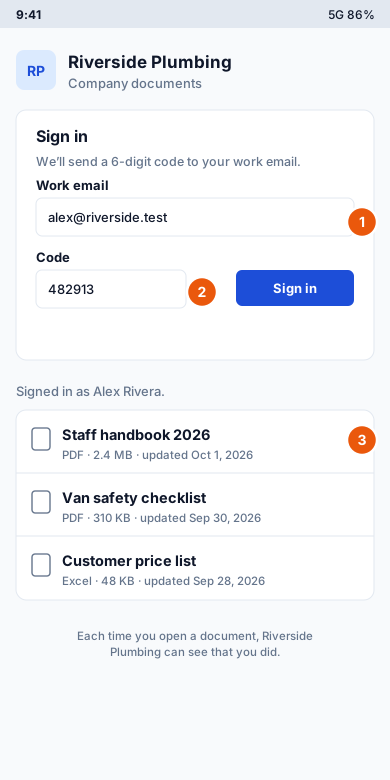
- The employee opens Company documents (or the portal link) and enters their Work email, the one on their employee record.
- They type the 6-digit code from the email that arrives. Codes expire after 10 minutes.
- They see only the documents shared with them, and tap one to open it.
- Employees need an Email on their employee record to sign in.
- Every open is recorded in the Audit log and counted in the library.
- Documents open in the browser. They’re not stored offline on the device.