 NounDesk
Zero-touch enrollment
Who: Owner, Admin, Operator. Requires a reseller, Requires Google connection.
Phones bought from an authorized zero-touch reseller set themselves up the first time they’re switched on. There’s no QR code and no hands-on setup.
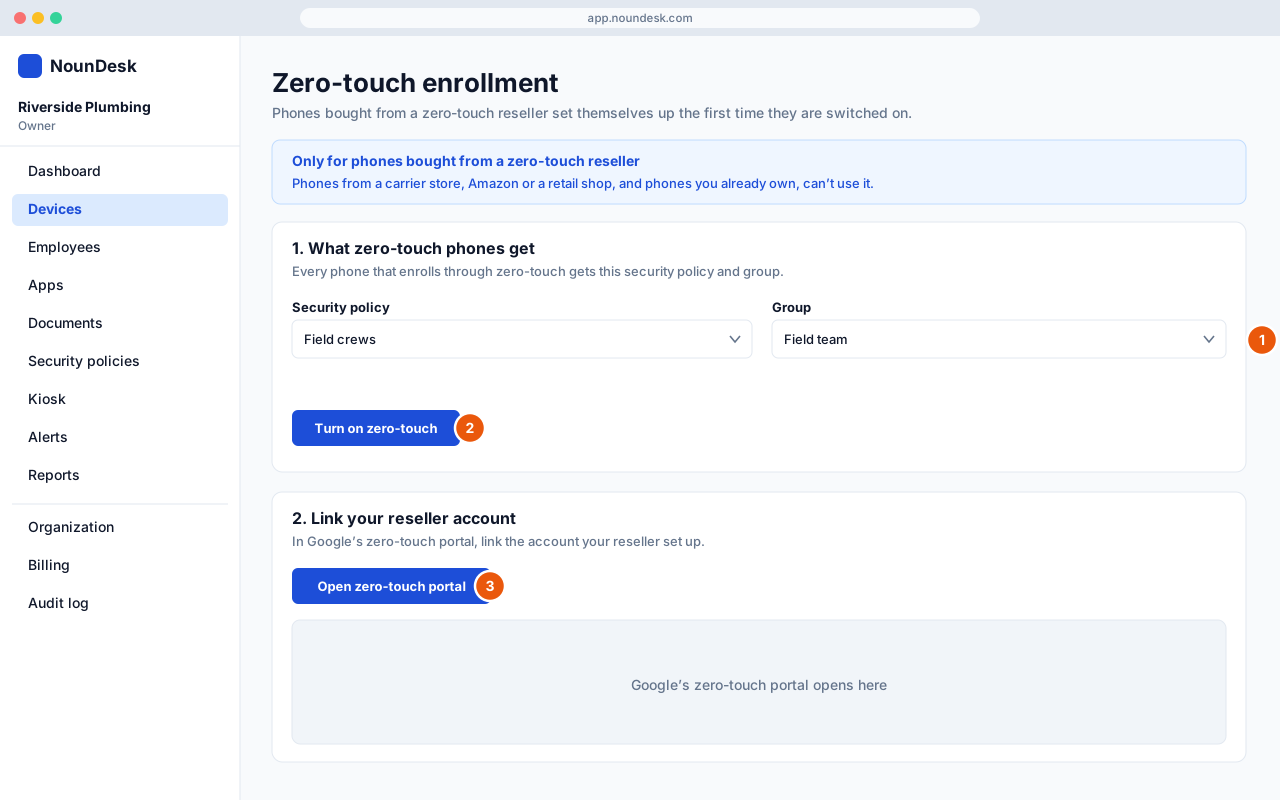
- Go to Devices → Add device → Zero-touch. Under What zero-touch phones get, choose the Security policy and Group every zero-touch phone should receive.
- Select Turn on zero-touch.
- Under Link your reseller account, select Open zero-touch portal and link the account your reseller set up for you. From then on, new phones enroll into NounDesk as soon as they connect to the internet.
- Phones from a carrier store, Amazon or a retail shop, and phones you already own, can’t use zero-touch. Use a QR code for those.
- Changing the policy or group replaces the enrollment code. Open the zero-touch portal again afterwards so Google uses the new one.
- Turn off stops new zero-touch phones from enrolling. Phones already enrolled keep working.