 NounDesk
Getting started
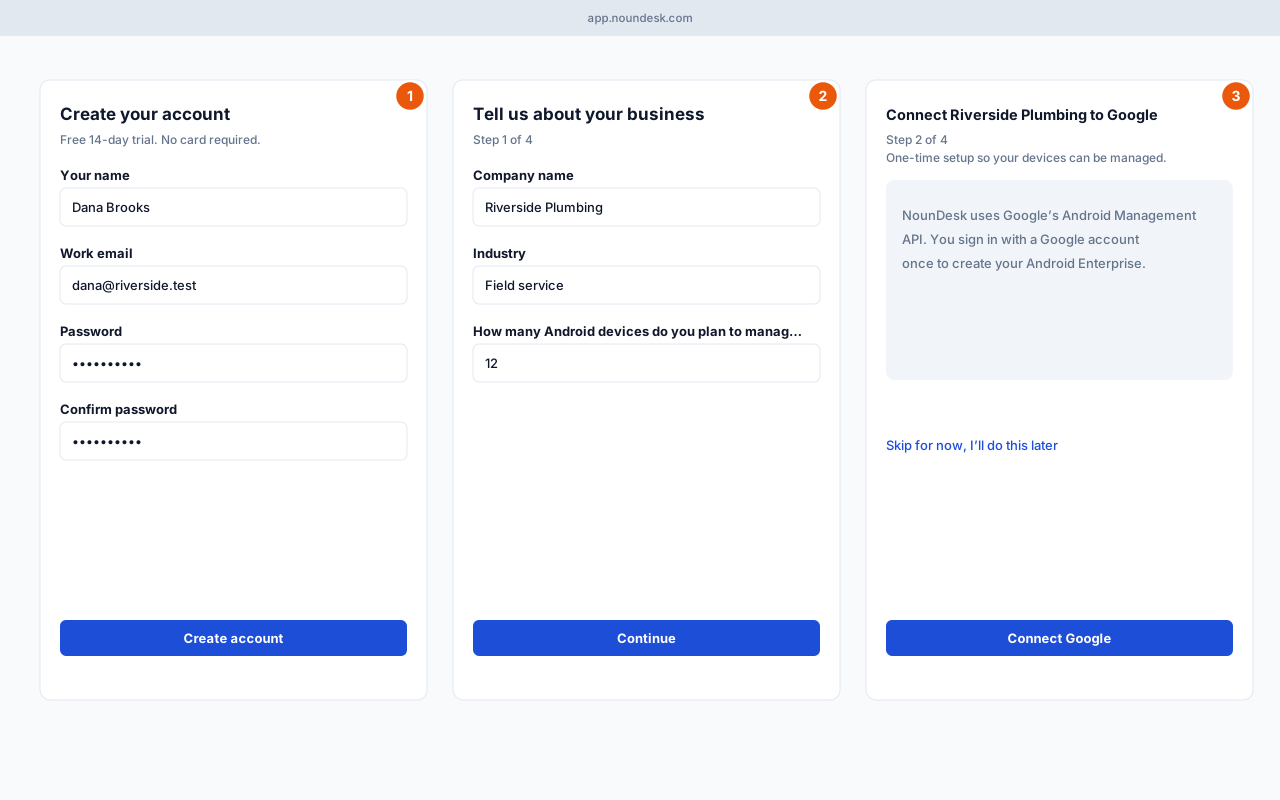
Who: anyone setting up NounDesk for their company.
- Create your account. Go to app.noundesk.com and choose Create an account. Enter Your name, Work email, Password and Confirm password, then select Create account. Open the confirmation email and follow the link. The 14-day trial needs no card.
- Tell us about your business. Enter your Company name, pick an Industry, say how many Android devices you plan to manage, and select Continue.
- Connect to Google. Select Connect Google and sign in with the Google account you want to own your company’s Android Enterprise. This is a one-time setup. When it’s done you’ll see Google connected; choose Add your first device or Go to dashboard.
Tip: Not ready to connect Google? Choose Skip for now, I’ll do this later. You can connect later from Organization → Google Android Enterprise, and you can explore with sample data meanwhile (see Try NounDesk with sample data (demo mode)).
Forgot your password? On the sign-in page choose Forgot password?, enter your email and select Send reset link. The link opens Choose a new password.